Are You Printing on the Wrong Side of Your DTF Film
Successful DTF printing requires using the correct side of the dtf film. The global Direct to Film market was valued at USD 2.56 billion in 2023, making proper technique vital. Printers must apply ink to the matte, coated side. This surface is engineered to hold ink. Using the wrong side of the dtf film causes ink smudging and transfer failure.
How to Reliably Identify the Correct Printing Side
Identifying the correct side of the film is a simple but critical step. Printers can use several reliable methods to distinguish the printable coated side from the non-printable side. Consistently performing these quick checks prevents costly errors and ensures every print job meets professional standards.
The Visual Test: Matte vs. Glossy
The most immediate method is a simple visual inspection. Hold the film sheet up to a light source and examine both sides. One side will appear dull, with a non-reflective, matte finish. The other side will be noticeably shinier and more reflective, with a glossy appearance. The matte side is the correct side for printing.
This matte surface is the specialized ink-absorbing coating. Its properties are essential for high-quality results.
- Quality film coatings are engineered to receive and retain ink effectively. This allows the ink to settle smoothly and dry uniformly.
- The ink-receiving layer is specifically designed to accept DTF inks, which are formulated for use with PET film.
- A premium film's coating ensures accurate ink placement and saturation, leading to superior color fidelity and image depth.
The glossy, non-printing side is simply the base PET plastic, which may have other functional layers. These auxiliary coatings are not designed for ink adhesion.
DTF film is a composite material. It is mainly composed of a PET substrate, an ink-absorbing layer, a release layer, and auxiliary coatings. These auxiliary layers can include antistatic and anti-blocking layers, which contribute to the different look and feel of the non-printing side.
The Feel Test: Rough vs. Smooth
If lighting conditions make the visual test difficult, a tactile test provides clear confirmation. Run a clean, dry finger across the surface of each side. The printing side will have a slightly rough or chalky texture. In contrast, the non-printing side will feel perfectly smooth and slick, like standard plastic.
This distinct texture is not an imperfection; it is a feature of the ink-receptive layer. The coating's microscopic roughness is crucial for print quality.
- A high-quality coating on the dtf film controls dot spread and properly anchors the CMYK and White inks.
- This texture helps the film accept ink uniformly, resulting in crisp, sharp details with minimal ink bleed.
- The coating's ability to precisely hold fine lines ensures that even small text and intricate details appear clean and not blurry.
The "Sticky Finger" Test
For a definitive confirmation, printers can perform the "sticky finger" test. Lightly moisten your thumb and index finger with a small amount of water. Gently pinch a corner of the film between them for a second and then release. The coated printing side will feel slightly tacky and will stick to your finger. The smooth, uncoated side will not stick at all. This happens because the moisture temporarily activates the hydrophilic (water-attracting) properties of the ink-receptive coating.
Understanding the film's properties is key to professional printing. While the printing side is consistent, the release properties can vary between film types, such as hot peel and cold peel. The choice between them depends on the project's specific needs for speed and detail.
| Consideration | Cold Peel | Hot Peel |
|---|---|---|
| Process | Requires the transfer to cool completely before peeling. | Involves immediate peeling of the transfer while it is still hot. |
| Speed | Slower due to the necessary cooling period. | Faster, enabling immediate progression to the next item. |
| Quality | Generally yields sharper, more detailed prints due to superior adhesive bonding. | Can achieve very high quality but demands precise execution during immediate peeling. |
| Ease of Use | More forgiving, as cooling time allows for adjustments. | Requires greater skill and precise timing for optimal outcomes. |
| Project Suitability | Ideal for large or intricate projects where print quality is paramount. | Best for high-volume orders where production speed is critical. |
Regardless of the film type, these simple identification tests will always help a printer start the job correctly.
Understanding Your DTF Film Sides: What Happens When You Choose Wrong?
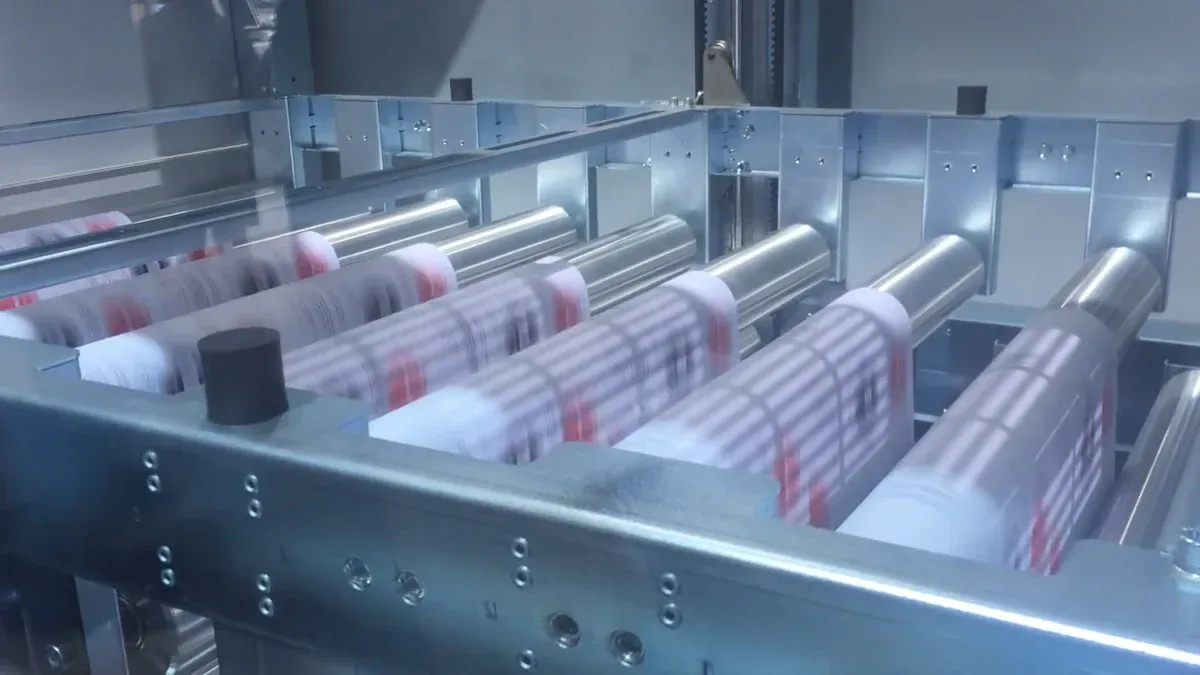
Selecting the wrong side of the dtf film initiates a cascade of failures. Each step in the DTF process depends on the previous one. A mistake at the very beginning guarantees a failed final product and wasted resources. Understanding these consequences highlights the importance of the initial film check.
Ink Pooling and Smudging
Printers who apply ink to the glossy, non-porous side will immediately see problems. This surface does not absorb ink. The ink sits on top of the film, creating pools of wet color. The ink's rheology, or flow properties, causes it to spread uncontrollably on the slick surface. This results in a blurry, smudged image instead of a crisp design. The ink remains wet for a long time and is highly susceptible to smearing from the slightest touch.
Adhesive Powder Won't Stick
The next step, applying the adhesive powder, also fails completely. The thermoplastic powder, often made of polyurethane, is designed to cling to the printed ink layer. When the ink is a wet, pooled mess, the powder has nothing to bond with. It will either slide off the wet ink or clump together unevenly. This leaves large gaps in the adhesive layer, making a successful transfer impossible.
Failed Garment Transfer
A design with no consistent adhesive layer cannot transfer to a garment. During the heat press stage, there is no medium to bond the ink to the fabric's fibers. Even with ideal settings, such as a temperature of 335°F for cotton, the transfer will fail. The printer will peel back the film to find that little to no ink has adhered to the shirt. The design is left ruined on the film sheet.
Complete Waste of Supplies
A single printing error results in a significant loss of materials and time. The financial impact goes beyond just one ruined item.
A failed print job creates a domino effect of losses. Printers must account for the initial materials, the replacement materials, the labor for both attempts, and the opportunity cost of jobs they could have completed instead. This simple mistake quickly becomes a costly one.
Printers must always confirm they are using the matte side of the dtf film before starting a job. A quick visual or feel test is the best way to prevent common mistakes like poor adhesion. Consistently using the correct side is the key to achieving professional results and high customer satisfaction.
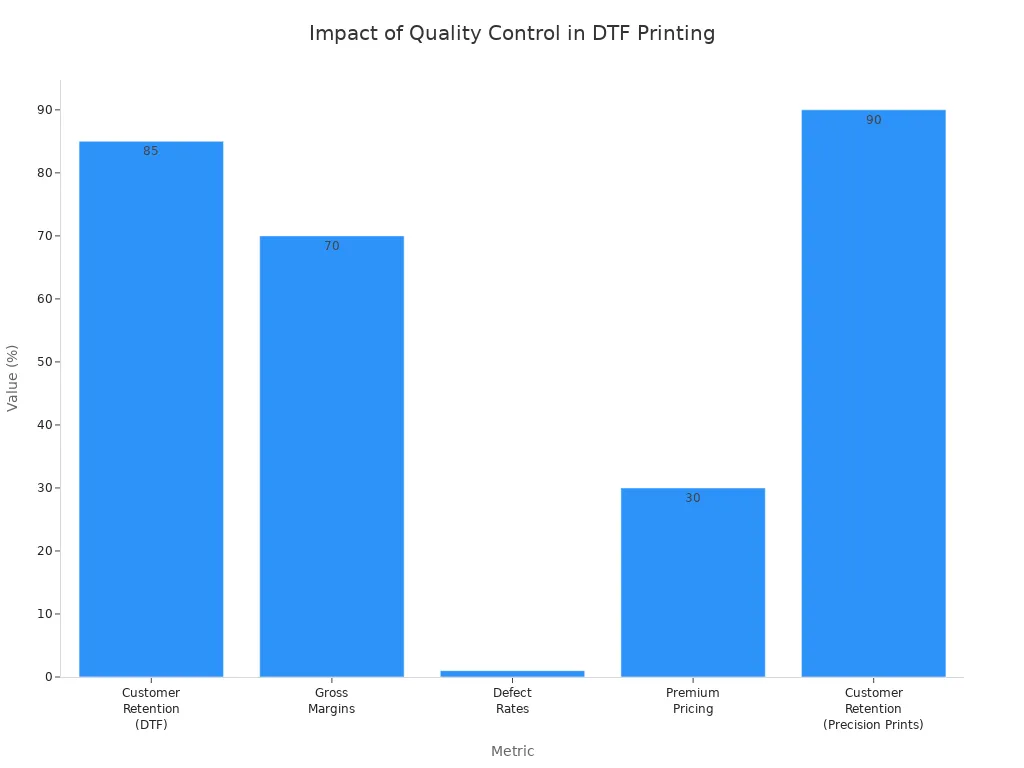
This simple quality control step ensures every print has a polished, professional appearance, which is essential for building a strong business reputation.
FAQ
What happens if a printer uses the glossy side?
Ink pools on the non-absorbent glossy surface, causing smudges. Adhesive powder fails to stick properly. This results in a completely failed transfer and wasted supplies.
Why does the "sticky finger" test work?
The test identifies the coated printing side. Moisture activates the hydrophilic coating, making it feel tacky. The uncoated, non-printable side remains smooth and does not stick.
Are all DTF films the same?
No. Films differ in peel type (hot or cold), thickness, and finish. Printers must select a film that is compatible with their ink, equipment, and project requirements.
See Also
Automatic UV Coaters: Indispensable for Modern High-Volume Printing Operations
Leading Precoating Solutions for Advanced Filtration Systems in the Coming Year
Innovative Folder Gluer Capabilities Shaping 2025's Carton Production Lines
Unexpected Strategies for Effective Troubleshooting of Sulfur Recovery Catalysts
Capsule Sorters: Key Players in Efficient Product Defect Elimination