Build Your Own Automatic Color Sorting Machine with Arduino
Many hobbyists and students use Arduino to create a color sorter for real-world applications.
- The machine employs a TCS3200 color sensor, Arduino UNO, and servo motors for automated sorting.
- Projects include sorting colored Skittles and grains, making them suitable for education and industry.
| Educational Aspect | STEM Discipline |
|---|---|
| Hands-on learning | Science |
| Automation | Technology |
| Design | Engineering |
| Logic application | Math |
Color Sorter Components and Tools
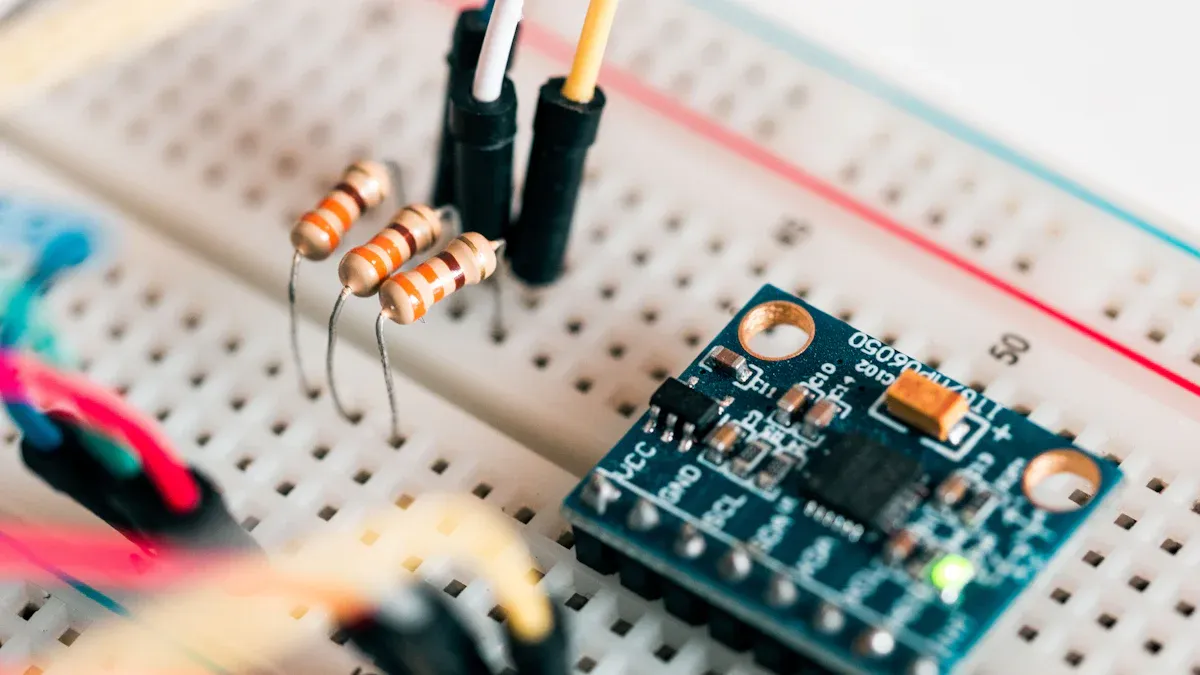
Essential Parts List
A successful color sorter project requires a precise selection of electronic components and mechanical parts. The following list outlines the essential items:
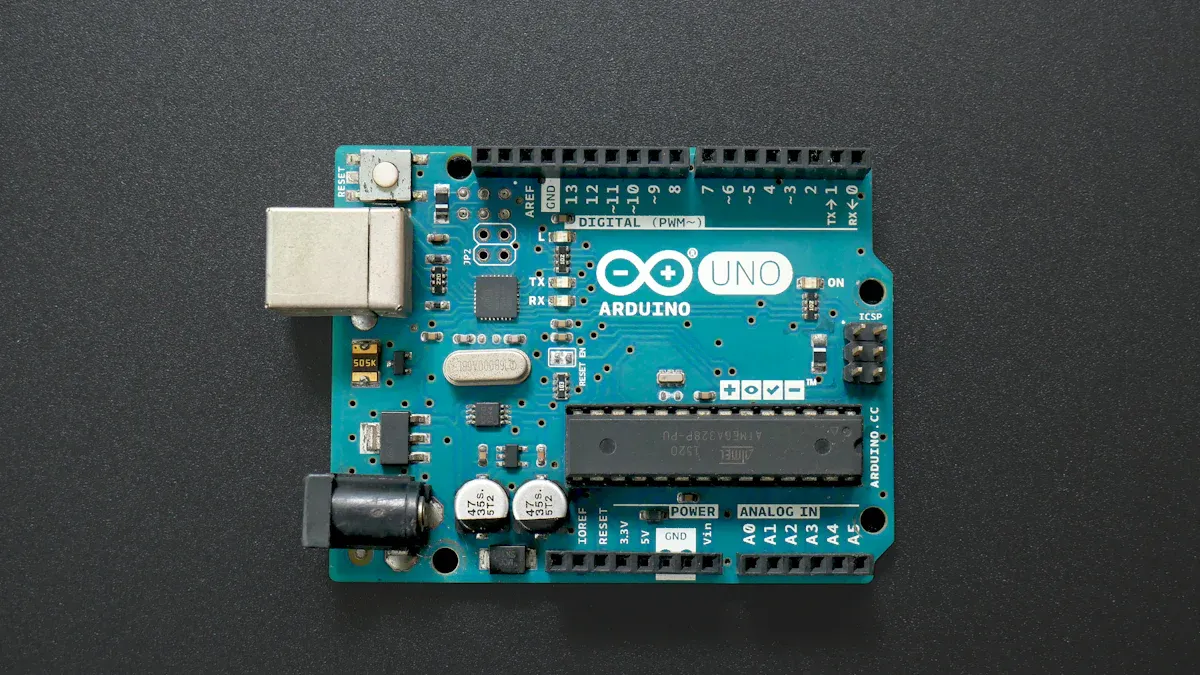
- Arduino UNO board for central control and programming.
- TCS3200 color sensor, which detects a wide range of colors by analyzing their wavelength. This sensor, along with the TCS230, is commonly used in Arduino color sorting machines. Although these sensors do not provide high accuracy, they perform well for basic sorting tasks.
- Two servo motors, one for picking up objects and another for dropping them into the correct bin. The pickup servo connects to Pin 9, while the drop servo connects to Pin 10 on the Arduino. The initial position of the pickup servo is set to 115 degrees, but users can adjust this angle as needed. The servo motors operate by moving to specific angles with programmed delays.
- Nema 17 stepper motor, chosen for its high precision and torque, which ensures reliable movement of the sorting mechanism.
- Jumper wires for secure electrical connections.
- Breadboard for prototyping the circuit.
- Power supply suitable for the Arduino and motors.
- Assorted colored objects for testing the sorting process.
Tip: Always verify the compatibility of each component with the Arduino UNO before assembly.
Required Tools
The assembly of a color sorter demands a few basic tools. The table below lists the most common items:
| Tool/Component | Quantity |
|---|---|
| Scissors | 1 |
| Superglue | 1 |
Additional tools such as a small screwdriver, wire stripper, and double-sided tape may also assist in the construction process. These tools help ensure a stable and efficient build, reducing the risk of errors during assembly.
Building and Programming Your Color Sorter
Mechanical Assembly
Mechanical assembly forms the foundation of a reliable color sorter. Builders start by constructing a stable frame using lightweight materials such as acrylic or plywood. All components must be safely enclosed to prevent accidental contact with moving parts. Mechanical parts should remain free of sharp edges to ensure safe handling, especially for students aged 12 and above. Electronics require a regulated power supply to avoid damage and maintain consistent operation.
Safety Precautions
- Enclose all components securely.
- Remove sharp edges from mechanical parts.
- Use a regulated power supply for electronics.
- Confirm the system is safe for student observation and handling.
Smooth movement is essential for accurate sorting. The table below highlights effective mechanical designs that enhance performance:
| Mechanical Design Feature | Description |
|---|---|
| Innovative Sorting Chamber | Addresses challenges like wet material adhesion for stable performance. |
| Belt Type Sorter | Provides gentle handling for fragile materials, ensuring uniform movement. |
| Smart Control Systems | Includes PLC automation and touchscreens for intuitive operation. |
Advanced imaging technology and high-resolution detection systems further improve sorting accuracy. Some machines use AI deep learning to detect internal defects and contaminants, but these features are optional for basic Arduino projects.
Installing Color Sensor and Servo Motors
Precise installation of the color sensor and servo motors determines the accuracy of the color sorter. The TCS3200 sensor detects RGB colors and should be placed in close proximity to the objects for optimal detection. The following table summarizes recommended sensor placement:
| Sensor Type | Functionality | Placement Recommendation |
|---|---|---|
| TCS3200 | Detects RGB colors | Close proximity to objects |
| IR Sensors | Black/white only | Not suitable for color sorting tasks |
Servo motors control the movement of objects and the sorting mechanism. One servo picks up items, while the other drops them into the correct bin. Builders must secure the servos firmly to the frame and align them with the sorting path. Proper alignment ensures smooth operation and prevents jams.
Wiring and Circuit Setup
Accurate wiring is critical for the color sorter’s reliability. Builders should follow these steps to avoid common mistakes:
- Connect the color sensor: VCC to 5V, GND to GND, SDA to A4, SCL to A5.
- Attach the switch’s central leg to D8 to prevent miswiring.
- Add a ground wire to the Arduino to avoid short circuits.
- Connect one servo to D5 and the other to D6, ensuring correct orientation.
- Use insulation tape on solder joints to prevent accidental short circuits.
A breadboard simplifies prototyping and allows easy adjustments. Jumper wires provide secure connections between components. Builders should double-check all connections before powering the system.
Arduino Programming and Code Upload
Programming the Arduino brings the color sorter to life. Developers use reliable code libraries to integrate the color sensor. The TCS3200 Arduino Library offers a user-friendly API for the TCS3200 sensor, making color detection straightforward and accurate. The Adafruit TCS34725 Library supports the TCS34725 sensor and enables advanced color detection and sorting for both industrial and home automation projects.
Uploading code to the Arduino involves connecting the board to a computer via USB and using the Arduino IDE. Developers select the correct board and port, then upload the program. The code controls sensor readings, servo movements, and sorting logic.
#include <TCS3200.h>
#include <Servo.h>

// Example code snippet for color detection and sorting
TCS3200 colorSensor;
Servo pickupServo;
Servo dropServo;

void setup() {
  colorSensor.begin();
  pickupServo.attach(9);
  dropServo.attach(10);
}

void loop() {
  int color = colorSensor.readColor();
  // Sorting logic based on detected color
}
Calibration and Testing
Calibration ensures the color sorter identifies colors accurately. Builders adjust sensor readings based on environmental conditions, such as ambient light. Manual testing of each color helps determine the correct detection ranges. Increasing ambient light stabilizes sensor readings and improves accuracy.
Testing procedures verify the machine’s performance. The table below outlines standard steps:
| Step | Description |
|---|---|
| 1 | Calibrate sorter positions using the calibrateSorter function. |
| 2 | Calibrate selector positions with the calibrateSelector function. |
| 3 | Set color set points using sensor readings from sample objects. |
| 4 | Adjust servo positions and set points based on sorting performance. |
Builders repeat calibration and testing until the color sorter consistently sorts objects into the correct bins.
Troubleshooting Common Issues
Troubleshooting helps maintain the color sorter’s reliability. Builders often encounter wiring errors, sensor misalignment, or servo malfunctions. The following tips address common problems:
- Check all wiring connections for accuracy.
- Ensure the color sensor sits close to the objects.
- Verify servo alignment and movement range.
- Inspect solder joints and use insulation tape to prevent shorts.
- Recalibrate sensor readings if detection accuracy drops.
Tip: Document each troubleshooting step to simplify future maintenance and upgrades.
A well-built color sorter provides hands-on experience in electronics, programming, and mechanical design. Builders gain valuable skills while creating a functional machine that demonstrates automation and logic in action.
They now possess a fully functional Arduino color sorter. Users can enhance performance by adding sensors or improving accuracy. Common limitations include ambient light interference and insufficient motor torque. The table below lists trusted sources for downloadable code and wiring diagrams.
| Project Name | Download Link |
|---|---|
| DIY Color Sorter | Download Code |
FAQ
How does the TCS3200 sensor detect color?
The TCS3200 sensor measures the intensity of red, green, and blue light reflected from an object. The Arduino processes these values to identify the object's color.
Can users sort more than three colors with this machine?
Yes. Users can program the Arduino to recognize additional colors by calibrating the sensor with more samples and updating the sorting logic.
What causes inaccurate sorting results?
Ambient light changes, sensor misalignment, or incorrect calibration often cause errors. Builders should check sensor placement and recalibrate under consistent lighting conditions.
See Also
Is It Worth Investing in Automated Virus Sampling Lines?
Why Automatic UV Coating Machines Are Crucial for Fast Printing
Top Locations for Purchasing X-Ray Inspection Machines in China
The Importance of Capsule Sorters in Eliminating Defects
Three Essential Industrial Checkweighers for Food Processing Plants